You received a file (in Messages, Email, or AirDrop). Tap the file, then choose FitKit Pro if you are asked which app to use. If the file is in Files, tap it there.
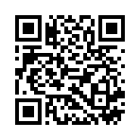
Your therapist showed you a QR code. In FitKit Pro, open Playlist, tap Send or Receive Playlist, then Receive, and scan the code.
If the file does not open, make sure FitKit Pro is installed, then try again. If it still does not open, ask your therapist to send it again.
Is it free?
If your therapist’s program says client playback included, you can run it in FitKit Pro without a subscription. Otherwise, FitKit Pro needs its own access (a subscription or purchase) to keep playing a program you received. Your therapist can tell you which kind they sent.